After Phi Silica: Aion Instruct Becomes Windows’ On-Device Language Model
Windows is swapping the language model that ships with the platform—not asking every app to bring its own weights. On-device language features on Windows have,…
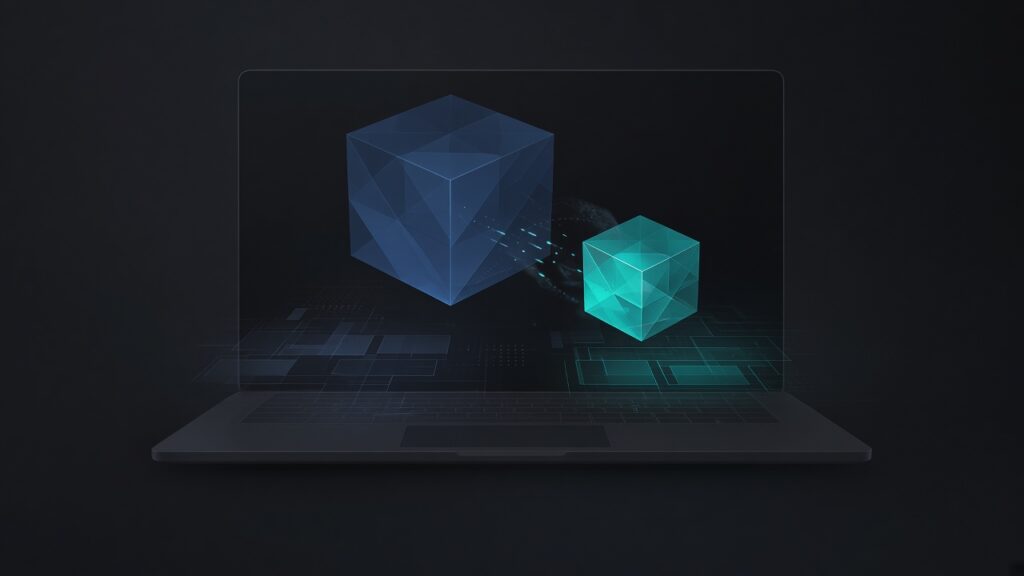
On-device language features on Windows have, for the past cycle, meant Phi Silica: a hardware-accelerated local language model exposed through Windows AI APIs. On 13 November 2026, Microsoft said that era is ending on a published timetable. Aion Instruct is “Microsoft’s latest on-device language model for Windows.” It will begin rolling out to Copilot+ (“CP+”) devices through the Windows Insider Program in late November, with full Windows retail availability targeted for late January, and Microsoft is expanding it to supported GPUs.
This is a platform-model story, not a silicon catalogue. The numbers, dates, and breaking changes below come from Microsoft’s 13 November Foundry-on-Windows post and from official Microsoft Learn pages—not from conference-floor rumor.
What Microsoft says Aion Instruct is
Microsoft presents Aion Instruct as a newer, more efficient foundation for Windows and Microsoft applications, designed to power “fast, responsive language model experiences directly on your device” while preserving familiar user experiences. A technical report with more details, Microsoft says, is “coming soon” to the Microsoft Command Line blog. Until that report exists, the official comparison is the table in the 13 November post:
| Attribute | Phi Silica (Microsoft) | Aion Instruct (Microsoft) |
|---|---|---|
| Parameters | 3.8B | 2.3B |
| Input context length limit | 3.5K tokens | 32K tokens |
Microsoft’s user-facing list of expectations is qualitative plus that context jump: more responsive language-model experiences; an increased input context length limit from 3.5K to 32K tokens; improved performance and use of device resources; continued innovation across Windows and Microsoft applications; and a transition “designed to preserve familiar workflows and capabilities.”
Do not invent architecture diagrams, benchmark scores, or quality deltas that Microsoft has not published. A smaller parameter count and a much longer official context limit are the hard facts in the table. Everything else in that bullet list is Microsoft’s framing.
The published timetable (subject to change)
Microsoft’s transition is staged. The 13 November post gives this sequence:
- October 2026: A standalone package is available at aka.ms/tryaion for developers to begin testing Aion Instruct and preparing applications and customizations.
- November 2026: Aion Instruct is planned to begin rolling out to Windows Insider Preview devices on 20 November 2026 (11/20). Microsoft also says the Windows Insider Program Beta External build targeted for release on 11/20 will allow full, end-to-end validation.
- January 2027: Aion Instruct is planned to roll out to retail devices, completing the transition from Phi Silica.
Those November and January dates are Microsoft’s plans, subject to change. This article states the Insider start as 20 November 2026 per Microsoft, not as a guarantee that every Insider device will flip on that morning.
Microsoft Learn’s Phi Silica get-started page, updated for the replacement, adds operational detail for the same window:
- In November 2026, Aion Instruct begins rolling out to Windows Insider Preview devices. Phi Silica remains present; the active model is controlled by a Windows Controlled Feature Rollout (CFR). Developers can test side-by-side via a Windows registry key.
- In January 2027, Aion Instruct rolls out to retail devices and Phi Silica is removed.
If you support Insiders this month, plan for two models to exist on a machine at once, with the OS—not your installer—choosing the active one unless you follow Microsoft’s side-by-side guidance.
Microsoft’s post also invites developers to “tune in next Tuesday to THR888 at Ignite 2026” to learn more about Aion Instruct, and later names the session THR888: Build On-Device AI Experiences w/ Windows AI APIs, noting that a recording will be available. This article mentions that session only because Microsoft’s post does; it does not summarize unpublished Ignite material.
GPU expansion: more devices, staged hardware
Phi Silica was closely associated with Copilot+ PCs and NPUs, though Microsoft Learn already documented GPU paths for that model. For Aion Instruct, the 13 November post is explicit: “Like Phi Silica today, we’re also expanding Aion Instruct to supported GPUs, including popular dGPUs like NVIDIA’s RTX-series and AMD’s RDNA4 generation.” Microsoft says this “greatly increases the number of Windows devices that can benefit from Aion Instruct” and gives developers more flexibility when building language-model experiences that run on-device.
Microsoft’s goal, in its wording, is a “consistent local AI foundation across supported Windows hardware,” so that in many scenarios applications can use available device capabilities without separate end-user experiences for each hardware class. Hardware support will expand in stages as configurations meet Microsoft’s readiness and quality standards.
That last sentence is a limit, not a footnote. The blog names RTX-series and RDNA4 as examples of supported dGPUs; it does not, in that post, publish a complete SKU matrix, VRAM floor, or driver version list for Aion Instruct. Official Learn pages still carry detailed GPU driver and feature notes under the Phi Silica documentation (for example, differences in prompt compression and speculative decoding on GPU versus NPU). Those Phi Silica hardware notes should not be silently treated as Aion Instruct’s final GPU contract unless Microsoft says they apply unchanged. Use the Aion announcement for Aion’s GPU scope, and re-read Learn as Microsoft updates it.
Who has to change code
Microsoft’s headline for most app developers is reassuring: no action will be required. The change “will happen behind the scenes as supported experiences move to Aion Instruct.”
The same paragraph lists the exceptions. Action will be required, Microsoft says, for:
- apps that rely on highly custom prompting (Microsoft’s example: specific system prompts) and custom LoRAs;
- apps that have custom model output parsing because of a new watermarking implementation.
Microsoft has “added invisible watermarking to Aion Instruct to fulfill Text Provenance requirements in specific regions.” Apps that are heavily reliant on Phi Silica’s specific behavior or output strings, Microsoft adds, should be validated for quality, because Aion Instruct is a new model and “output strings and model behavior are different.” Microsoft points developers to its prompt guidance to get the most out of the new model.
Custom LoRAs must be retrained
Microsoft Learn is blunt about adapters. The standalone sideloadable package is available for testing and LoRA training. Developers should download it from aka.ms/tryaion, validate Aion Instruct for the app, and re-train LoRAs using Foundry Toolkit.
The 13 November post is equally clear on compatibility at retail: most existing AI-powered features will continue to work, “with the exception of custom LoRAs.” If your product is a LoRA on Phi Silica, the official path is retrain and revalidate—not hope the old adapter loads.
Invisible watermarking will break naive parsers
Microsoft Learn’s Watermarking in Windows AI text APIs page is the official description of the scheme (it notes the capability starting in October 2026 for output from some APIs in the Microsoft.Windows.AI.Text namespace). If your app processes generated text, you must account for the watermark when you render, parse, or convert the response.
Microsoft documents the watermark as the four-code-point sequence U+200B U+034F U+2060 U+200B (ZERO WIDTH SPACE, COMBINING GRAPHEME JOINER, WORD JOINER, ZERO WIDTH SPACE), in that order. Heuristics decide whether and where to insert it. A response can contain zero, one, or multiple copies. Locations can vary between responses, and Microsoft says the heuristics change over time, so you must not rely on a fixed location or assume every response contains the sequence.
Official consequences:
- most text rendering does not display these code points, but they can affect text selection and cursor movement;
- structured output can break—Microsoft’s examples include Markdown, generated HTML or CSS, and JSON parsing;
- most non-Unicode code pages cannot represent the watermark, so conversion can produce errors, fallback characters, or other unexpected characters.
Microsoft also warns that you are responsible for satisfying any applicable requirements for marking AI-generated content, and to consider those requirements before removing the automatically inserted watermark. The 13 November Aion post is the reason this is a migration issue: custom output parsing is called out as work you must do because of the new watermarking implementation.
Learn lists these APIs as automatically including a watermark: LanguageModel.GenerateResponseAsync, LanguageModel.GenerateResponseFromEmbeddingsAsync, TextRewriter.RewriteAsync, TextRewriter.RewriteCustomAsync, TextSummarizer.SummarizeAsync, TextSummarizer.SummarizeConversationAsync, and TextSummarizer.SummarizeParagraphAsync.
Limited Access Feature tokens go away (targeted for January)
Phi Silica APIs are documented as a Limited Access Feature (LAF) requiring an unlock token. For Aion Instruct, Microsoft Learn states: “Unlike Phi Silica, LAF tokens are no longer needed with Aion Instruct.” The 13 November post says that with Aion Instruct, Microsoft will also be “removing key adoption barriers like the need for an LAF token (removal targeted for January).”
Treat January as Microsoft’s target for dropping that barrier in the retail transition, and confirm on the current Learn page when you ship.
How to validate (Microsoft’s own path)
Microsoft encourages developers to start evaluating applications with Aion Instruct as it becomes available: validate model-dependent behavior, review application-specific customizations, and confirm that key scenarios still deliver the intended experience.
The official end-to-end path today:
- install the standalone package at aka.ms/tryaion;
- use the Windows Insider Program Beta External build targeted for 20 November 2026, which Microsoft says will allow full end-to-end validation;
- during the Insider CFR period, use the documented registry key if you need Phi Silica and Aion Instruct side by side;
- follow Windows AI documentation as Microsoft updates the Phi Silica/Aion transition pages, currently anchored at the Phi Silica get-started documentation.
Microsoft will, it says, provide additional documentation and migration guidance as availability expands. Feedback can be filed as an Issue in the WinAppSDK repository, per the announcement.
What this means for Windows on-device AI
Windows on-device AI is becoming a platform service with a replaceable model, not a one-off NPU feature for a single SKU line. Aion Instruct is smaller, on Microsoft’s numbers (2.3B versus 3.8B), officially accepts a much longer prompt (32K versus 3.5K tokens), is planned to reach supported GPUs as well as Copilot+ devices, and is slated to drop the LAF token requirement. In exchange, Microsoft is inserting provenance watermarking and telling anyone with custom prompts, custom LoRAs, or brittle output parsers to do the work before retail removal of Phi Silica in January 2027 (planned).
For product managers, the risk is less “will the new model exist?” than “will our integration survive a model that is allowed to change behavior while keeping the same APIs?” Microsoft says the APIs remain familiar. It also says the outputs will not be identical. Those two sentences can both be true.
Bottom line
Microsoft is replacing Phi Silica with Aion Instruct as the local language model behind Windows AI experiences. Per Microsoft’s 13 November 2026 announcement, Aion Instruct is a 2.3B-parameter model with a 32K-token input context limit, planned to start rolling out to Copilot+ Insider devices on 20 November 2026 (subject to change), with retail targeted for January 2027, and with staged expansion to supported NVIDIA RTX-series and AMD RDNA4 GPUs. Most apps can ride the cutover. Custom LoRAs must be retrained; custom parsers must tolerate an invisible Unicode watermark documented by Microsoft; quality must be rechecked because the model is new. Test against the official package and the Insider build Microsoft named—then keep reading Learn, because the plan is staged and the dates are Microsoft’s.
References / Sources
- Microsoft Developer Blog (Foundry on Windows) — Microsoft Aion Instruct: Advancing local AI on Windows and expanding to GPU (13 Nov 2026): https://devblogs.microsoft.com/foundry-on-windows/aion-instruct-local-ai-windows-gpu/
- Microsoft Learn — Get started with Phi Silica in the Windows App SDK (transition notes for Aion Instruct): https://learn.microsoft.com/en-us/windows/ai/apis/phi-silica
- Microsoft Learn — Watermarking in Windows AI text APIs: https://learn.microsoft.com/en-us/windows/ai/apis/text-watermarking
- Microsoft Learn — What are Windows AI APIs?: https://learn.microsoft.com/en-us/windows/ai/apis/
- Microsoft — Aion Instruct standalone test package: https://aka.ms/tryaion
Images: original illustrations generated for AndBeyond.Tech; no logos or real people depicted.